Top 10 Free HTML Drop Down Menu.its very helpful for web design. its gives user good imprison for a website a good dropdown menu create the good user-friendly situation. our HTML CSS drop-down menu using very easy to use in the web page
the dropdown menus can put a pretty good impression on your visitor and also easy navigation of the product or category through a proper listing.
You can view another article :
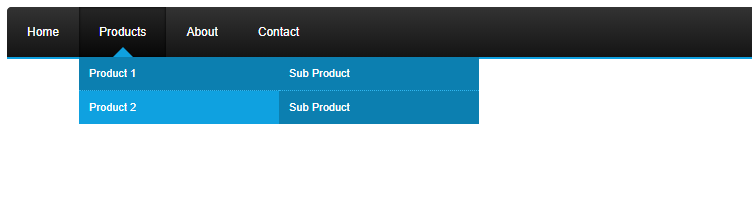
A beautiful drop-down menu that uses pure Html CSS. its looks good for static website
[button color="green" size="Medium" link="http://learncoading.com/wp-content/uploads/2018/09/source.zip" icon="download" target="true"]Download[/button]
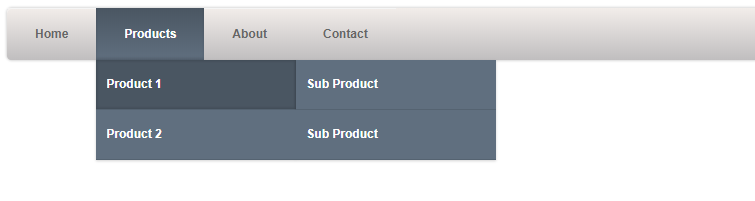
A Silver Tabbed Html Drop Down Menu Navigation with a customizable color, perfect for your next web app
[button color="green" size="Medium" link="http://learncoading.com/wp-content/uploads/2018/09/source_3.zip" icon="download" target="true"]Download[/button]
4.Border Radious Html Drop Down Navigation
Border Radious Html Drop Down Navigation Looks very bautyfull in web page and its fully customizable.
[button color="green" size="Medium" link="http://learncoading.com/wp-content/uploads/2018/09/source_4.zip" icon="download" target="true"]Download[/button]
5.Top Border Dropdown Menu
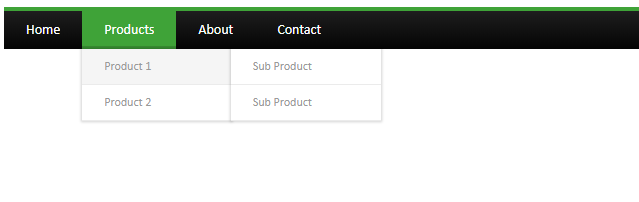
This canopy HTML drop down menu can be used in your navigation and your visitors will love it! Fully customizable.
[button color="green" size="Medium" link="http://learncoading.com/wp-content/uploads/2018/09/source_10.zip" icon="download" target="true"]Download[/button]
6.Lite Blue HTML Drop Down Menu
A simple yet beautiful blue menu navigation to organize your categories and show them on your website
[button color="green" size="Medium" link="http://learncoading.com/wp-content/uploads/2018/09/source_9.zip" icon="download" target="true"]Download[/button]
7. Simple Flat Horizontal Drop Down Menu
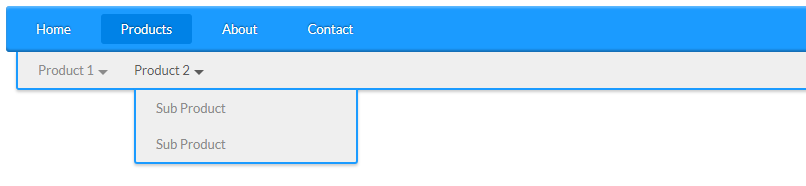
This Flat Horizontal Html Drop Down Menu Navigation uses the horizontal drop down to give a great effect to the selection.
[button color="green" size="Medium" link="http://learncoading.com/wp-content/uploads/2018/09/source_9.zip" icon="download" target="true"]Download[/button]
8.Light Html Drop Down Menu
A Light Drop Down Menu for your white themed web application, great color combination.
[button color="green" size="Medium" link="http://learncoading.com/wp-content/uploads/2018/09/source_6.zip" icon="download" target="true"]Download[/button]
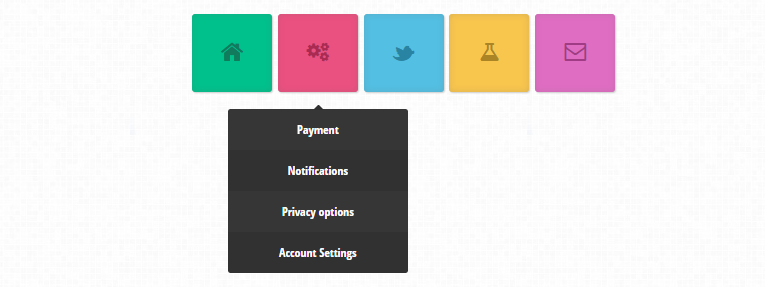
9. Animated Drop Down Menu
In this short tutorial, we will be creating a colorful dropdown menu using only CSS3 and the Font Awesome icon font. An icon font is, as the name implies, a font which maps characters to icons instead of letters. This means that you get pretty vector icons in every browser which supports HTML5 custom fonts (which is practically all of them). To add icons to elements, you only need to assign a class name and the icon will be added with a : before element by the font awesome stylesheet.
[button color="green" size="Medium" link="http://learncoading.com/wp-content/uploads/2018/09/css3-dropdown-menu1.zip" icon="download" target="true"]Download[/button]
10. simple sider bar Menu
the simple side navgation bar its very beautiful and very easy to use
[button color="green" size="Medium" link="http://learncoading.com/wp-content/uploads/2018/09/css3-javascript-pure-dropdown-menu.zip" icon="download" target="true"]Download[/button]
 [button color="green" size="Medium" link="http://learncoading.com/wp-content/uploads/2018/09/source.zip" icon="download" target="true"]Download[/button]
 [button color="green" size="Medium" link="http://learncoading.com/wp-content/uploads/2018/09/source.zip" icon="download" target="true"]Download[/button]
 [button color="green" size="Medium" link="http://learncoading.com/wp-content/uploads/2018/09/source_3.zip" icon="download" target="true"]Download[/button]
 [button color="green" size="Medium" link="http://learncoading.com/wp-content/uploads/2018/09/source_4.zip" icon="download" target="true"]Download[/button]
 [button color="green" size="Medium" link="http://learncoading.com/wp-content/uploads/2018/09/source_10.zip" icon="download" target="true"]Download[/button]
 [button color="green" size="Medium" link="http://learncoading.com/wp-content/uploads/2018/09/source_9.zip" icon="download" target="true"]Download[/button]
 [button color="green" size="Medium" link="http://learncoading.com/wp-content/uploads/2018/09/source_9.zip" icon="download" target="true"]Download[/button]
 [button color="green" size="Medium" link="http://learncoading.com/wp-content/uploads/2018/09/source_6.zip" icon="download" target="true"]Download[/button]
 [button color="green" size="Medium" link="http://learncoading.com/wp-content/uploads/2018/09/css3-dropdown-menu1.zip" icon="download" target="true"]Download[/button]
 [button color="green" size="Medium" link="http://learncoading.com/wp-content/uploads/2018/09/css3-javascript-pure-dropdown-menu.zip" icon="download" target="true"]Download[/button]